
Your cart is currently empty!
Category: WooCommerce
-

The Summer of WooCommerce 10.0
It’s July and if you’re in Summer Mode you might have missed a few things 😉 WooCommerce 10.0 was scheduled to be released on the 7th but was rescheduled for the 14th. We have released WooCommerce 10.0 compatibility updates and improvements for several extensions, here is a summary: Stay tuned for more and enjoy those…
-

Restrict Payment Methods for WooCommerce
We have recently introduced a new extension for WooCommerce, Restrict Payment Methods, which allows to limit which payment methods customers can use at checkout. This extension is great if you want to limit how your customer can pay based on: You can use this to offer certain payment methods to specific classes of customers only.…
-

WooCommerce Product Editing – Catalog Visibility “Hidden” is not what You might think
When you edit a product in WooCommerce, you will find the Catalog visibility setting in the Publish panel. This setting offers several choices: Shop and search results, Shop only, Search results only and Hidden. But, what do these mean? So Hidden doesn’t really hide the product, from what we know, it would rather appear as…
-
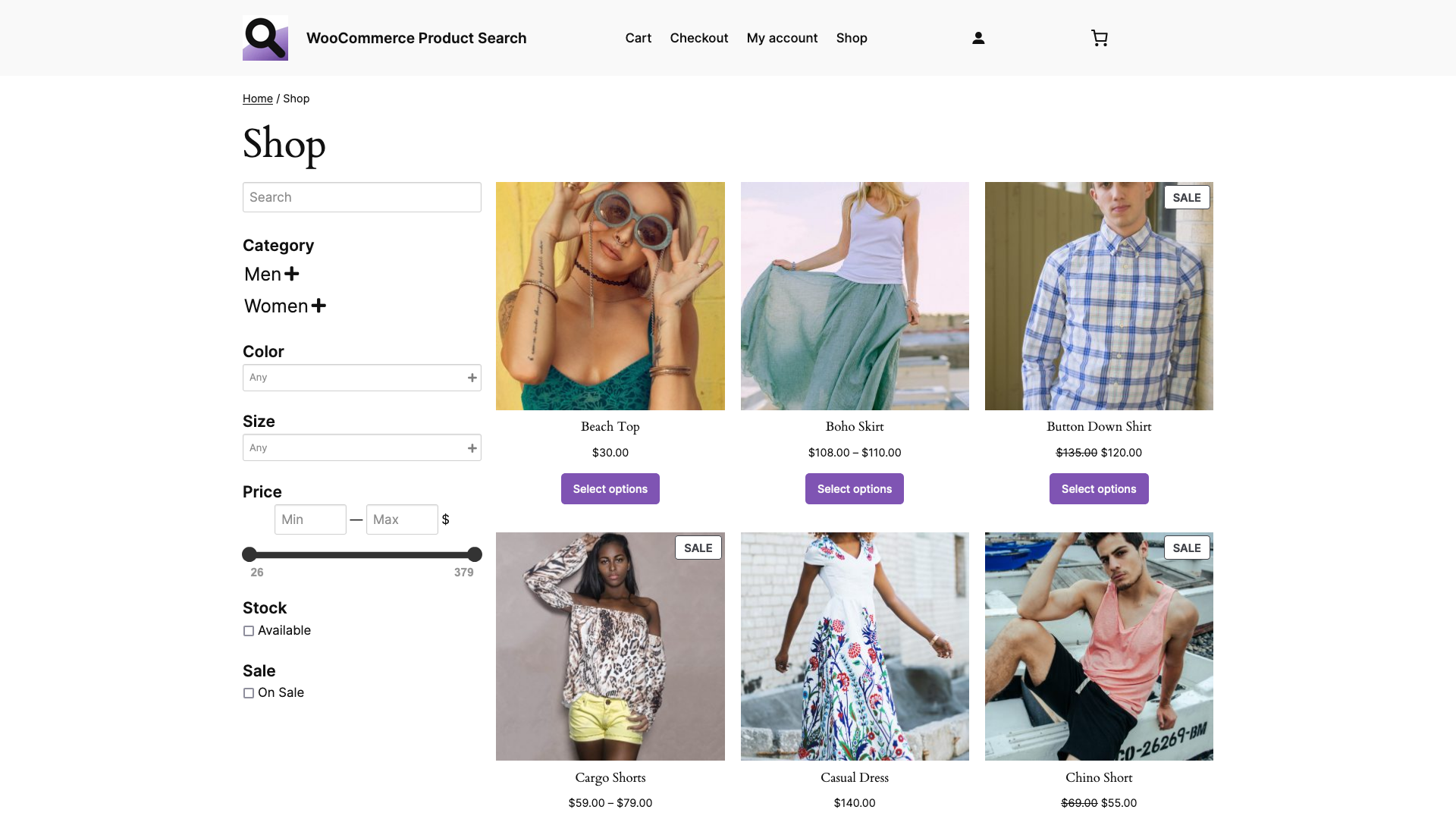
How to customize the WooCommerce Product Catalog Template with Search and Filter Blocks
In this tutorial, you will learn how to customize the Product Catalog template of your WooCommerce shop. This default WooCommerce template uses the Product Catalog variation of the Product Collection block and is used for the Shop page. We extend the template with several blocks that allow to search and filter the products, making it…
-
WooCommerce Product Search – Building a Shop Page with Blocks
In this tutorial, you will learn how to compose a new Shop page using the exclusive blocks provided by the WooCommerce Product Search extension. The search engine is available exclusively on Woo.com and is an essential extension for every shop powered by WooCommerce. For this tutorial, we are using the Twenty Twenty-Four theme. As a…
-

WooCommerce Product Search – Building with Blocks
Using the exclusive blocks provided by the WooCommerce Product Search extension, we show how easy it is to set up live search and filter blocks for the shop. The search engine is available exclusively on Woo.com and is an essential extension for every shop powered by WooCommerce. In this video tutorial we cover the steps…
-

How to install Redis on Debian or Ubuntu
In this quick guide, you will install a free Redis server in what takes just about a minute. After you have followed the steps, you will have your Redis server instance running as a service on your host. You can use it to power the cache of your WordPress site with appropriate plugins that support…
-

How to install Memcached on Debian or Ubuntu
This brief tutorial will guide you through the steps to quickly install a free Memcached server on a Debian or Ubuntu host. After you have gone through the steps, you will have a Memcached server running as a service and you can use it to power your WordPress site with plugins that support it. You…
-
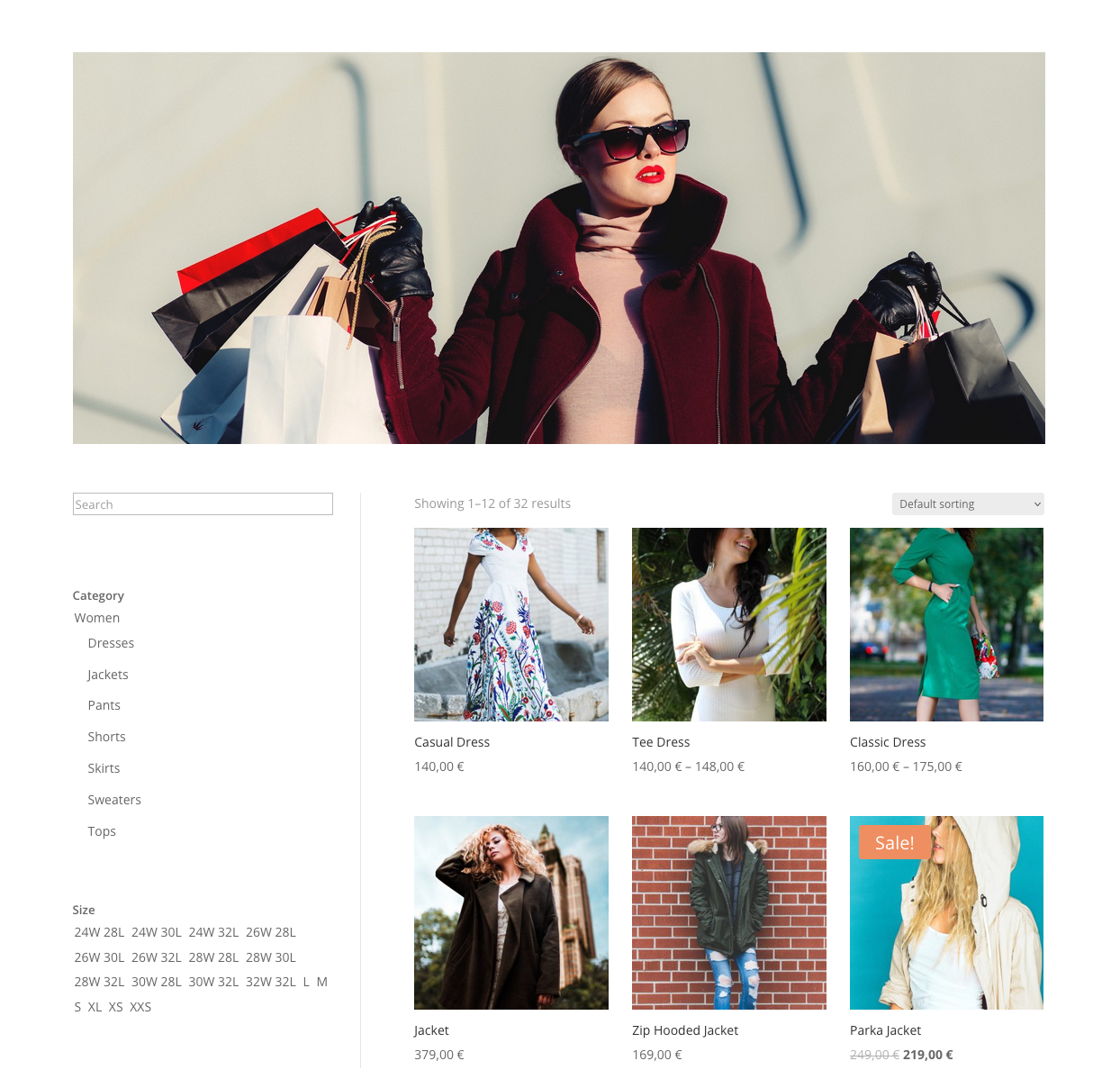
WooCommerce Product Search Filters and Divi Product Pages
One of the supported features of the Divi WooCommerce Products module is to render products from a specific category. This allows you to create uniquely designed category pages for each one of your shop categories. For example, let’s assume that we run an apparel shop and have created a dedicated page on Divi Builder. The…
-

WordPress and WooCommerce Compatibility Requirements – June 2023
As of this month, we are updating relevant WordPress plugins and WooCommerce extensions to meet the following minimum version requirements and version compatibilities: Our first new update to cover these is WooCommerce Product Search 4.14.0, which has been released today. We encourage all our users to keep their installations up-to-date, to assure the best of…
-

Customer Members Club with Discount Privileges
You are an online store owner that wishes to create a members-only club for its customers. The purpose of this club is to reward its members with discounts. Access to the club is granted through an annual paid membership. This setup consists of two parts. The first part relates to the Membership product which can…
-

How to create a time-limited Membership Product
In this post we will show you how to create a Membership product in WooCommerce using Groups and Groups for WooCommerce. The customer(s) will become members of the Premium Club group for one year after buying this product. Please note that the setup of the Membership product is the same, regardless of the group or…
-

The unsettling Truth about the Global Unset
In PHP, there is a pitfall when using unset on a global variable within the scope of a function or method. When referred to using the global keyword within a function, unset will not destroy the global variable within the global scope. The output produced (1) by the code above is not a warning, but:…
-

The Power of Newsletters
Newsletters are a popular way of reaching your audience. You can add this powerful communication tool to your WordPress site with the Groups Newsletters extension. A newsletter allows you to write meaningful content and provide it to your audience in an easy and automated way. Write one or more stories, combine them into a newsletter…